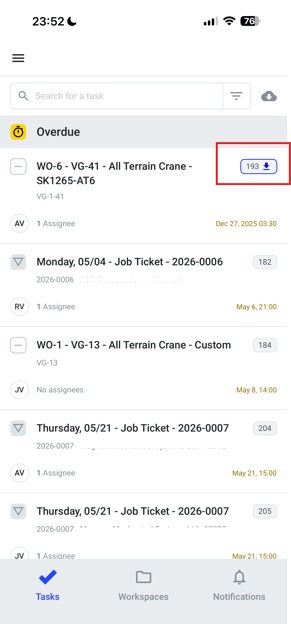
Overview of offline functionality (saving forms, syncing, etc.)
The OpsReady mobile application supports offline functionality, allowing users to continue working even without internet connection. Tasks can be downloaded in advance, allowing users to complete work and submit required information while offline. This is especially helpful when working in areas with limited or no connectivity. While offline, any updates, task progress, or form submissions are stored locally on the device. Once your internet connection is restored, the app will automatically sync all changes.
How to download tasks on mobile
1. Navigate to the Tasks page
2. Tap on the cloud icon.
3. Tap on one or more tasks you need to download.
4. Tap Done at the bottom.
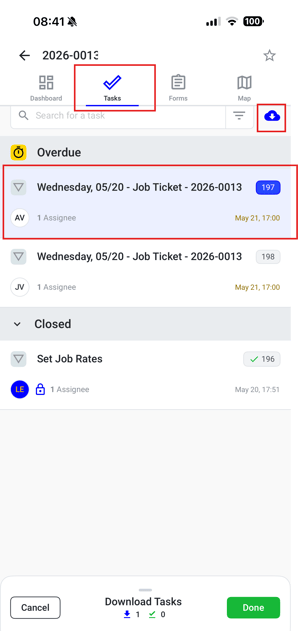
Note: While the task is downloading a spinning icon will show on the task number. Once the task is downloaded an arrow will be seen next to the task number.